
If you are searching for a high-performance Grammarly keyboard alternative on Android, you have almost certainly hit the subscription wall or grown exhausted by clunky floating widgets.
Quick Verdict: The best Grammarly keyboard alternative on Android is Synapse AI Keyboard because it replaces Grammarly's $12–$30/month recurring subscription with non-expiring $5 pay-as-you-go energy packs, fixes text directly in-place without app switching, and operates with zero keystroke logging. Free alternatives like Gboard and Microsoft SwiftKey provide baseline autocorrect, while LanguageTool offers strong European syntax auditing.
┌──────────────────────────────────────────────────────────────────────────┐
│                   THE MOBILE SAAS SUBSCRIPTION TRAP                      │
├────────────────────────────┬─────────────────────────────────────────────┤
│ Grammarly Premium (Monthly)│ $30.00 / month ($360 / year) — Resets to $0 │
│ Grammarly Premium (Annual) │ $12.00 / month ($144 billed upfront)       │
│ Synapse Energy Credit Pack │ $5.00 flat (500k–550k cr) — NEVER EXPIRES   │
└────────────────────────────┴─────────────────────────────────────────────┘
You need crisp, professional sentences when responding to an Upwork client on your phone, sending a critical invoice follow-up on WhatsApp, or polishing an executive email in Gmail. But to get full sentence rewrites, tone adjustments, and vocabulary suggestions on mobile, Grammarly demands $144 to $360 every year.
The fundamental problem is that mobile typing is bursty. You do not type uniformly every single day. If you take a holiday or have a quiet week, your $30 subscription fee vanishes into thin air regardless of your actual typing volume.
In this comprehensive 2026 guide, we examine the top Android alternatives, explain why Grammarly changed its mobile keyboard, and break down how a pay as you go grammar checker keyboard saves you over 90% in software costs while protecting your personal data.
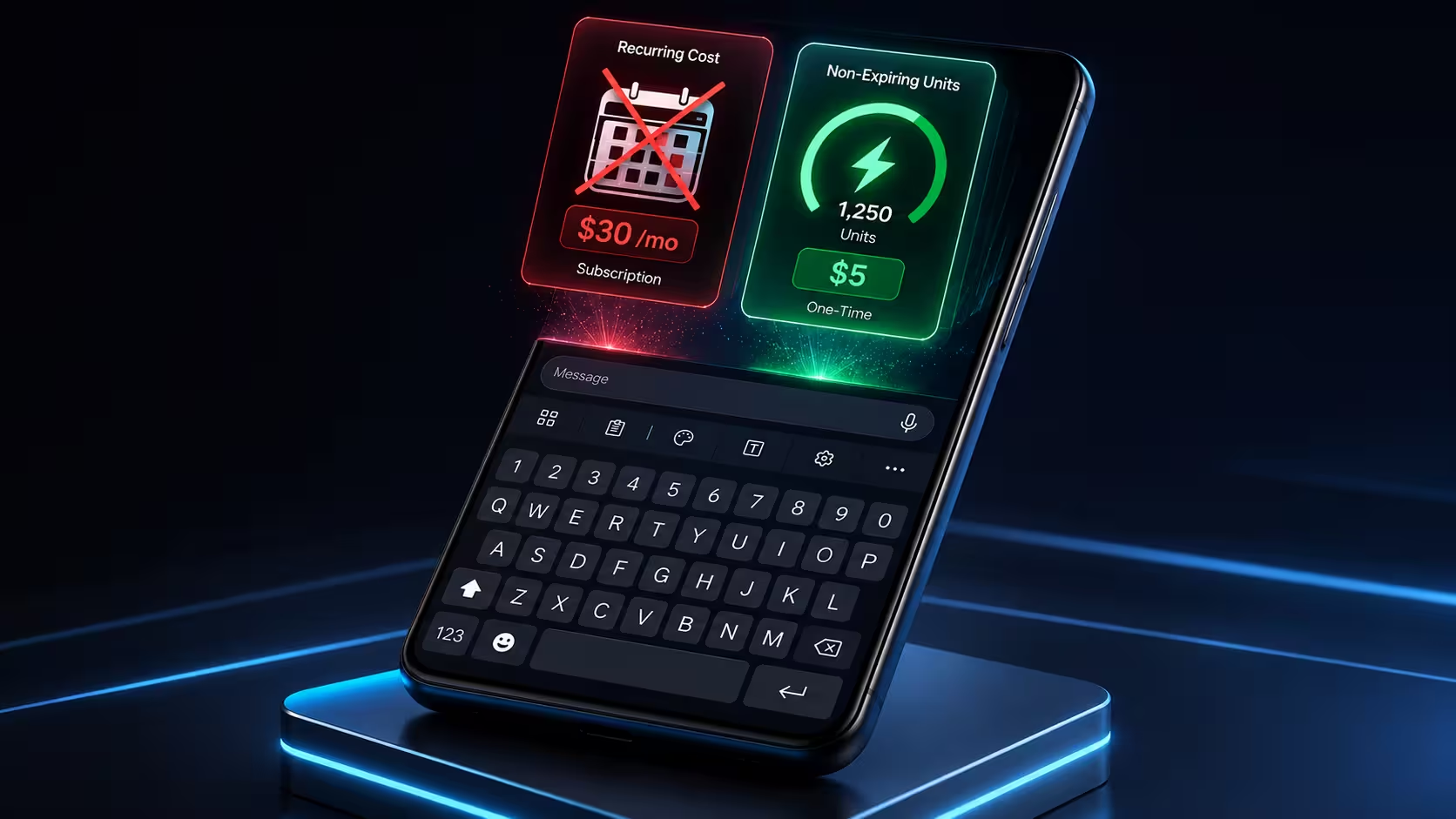
1. The Real Cost of Grammarly on Android: The $360/Year Keyboard Tax
Grammarly pioneered cloud-based grammar checking over a decade ago. However, on Android, several architectural and commercial decisions have created major friction for mobile professionals:
1.1 The Mandatory Monthly Subscription Reset
Grammarly's pricing model is built on enterprise SaaS seat pricing. If you subscribe on a monthly billing cycle, you are billed $30.00 each month. Even on their discounted annual tier, you must commit $144.00 upfront.
Consider the real-world economics for an independent freelancer, agency contractor, or student:
- The High-Output Week: You draft 30 Upwork proposals, negotiate 15 WhatsApp contracts, and polish 50 emails. The subscription feels somewhat utilized.
- The Low-Output Week: You are traveling, taking time off, or doing offline tasks. You trigger the grammar engine 4 times. You still pay the exact same $30.
At the end of every 30-day billing cycle, your subscription balance resets to zero. You own nothing, retain no stored value, and cannot pause your billing without losing access to advanced tone suggestions.
1.2 The "Grammarly for Android" Pivot & Floating Widget Friction
In recent updates, Grammarly shifted away from its dedicated standalone Android keyboard in favor of the "Grammarly for Android" companion app and floating widget overlay. For millions of users, this introduced notable drawbacks:
- Obtrusive Floating UI: Floating grammar bubbles frequently obstruct input fields, submit buttons, and chat interfaces across messaging apps like Telegram and WhatsApp.
- Accessibility Service Overhead: Running an accessibility overlay across every app can introduce typing lag, battery consumption, and UI flickering on mid-range Android devices.
- Inconsistent Keyboard Switching: Switching between your preferred typing keyboard (Gboard/SwiftKey) and Grammarly's overlay creates constant visual disruption.
1.3 Rigid Grammar Rules vs. Contextual AI Execution
Grammarly operates as a reactive corrector, not an on-demand execution engine.
When you type a sentence on Android, Grammarly highlights passive voice, dangling modifiers, and comma splices. While helpful, it cannot execute contextual commands. It cannot:
- Convert rough bullet notes into a 120-word structured client proposal.
- Translate your rough English draft into fluent, respectful Arabic, Spanish, or Urdu.
- Apply your custom pitching frameworks or dispute resolution rules with a single tap.
1.4 Cloud Keystroke Surveillance & Telemetry
To provide real-time inline underline suggestions, cloud-connected keyboards stream input buffer segments to remote servers. For enterprise professionals handling client NDAs, proprietary codebases, or sensitive banking details, continuous background keystroke parsing introduces unnecessary data exposure vectors.
2. Architectural Comparison: Subscription vs. Pay-As-You-Go
To understand why a cheap AI keyboard Android solution built on energy credits is mathematically and architecturally superior, let's examine the technical and economic differences between traditional cloud keyboards and Synapse's native Input Method Engine (IME).
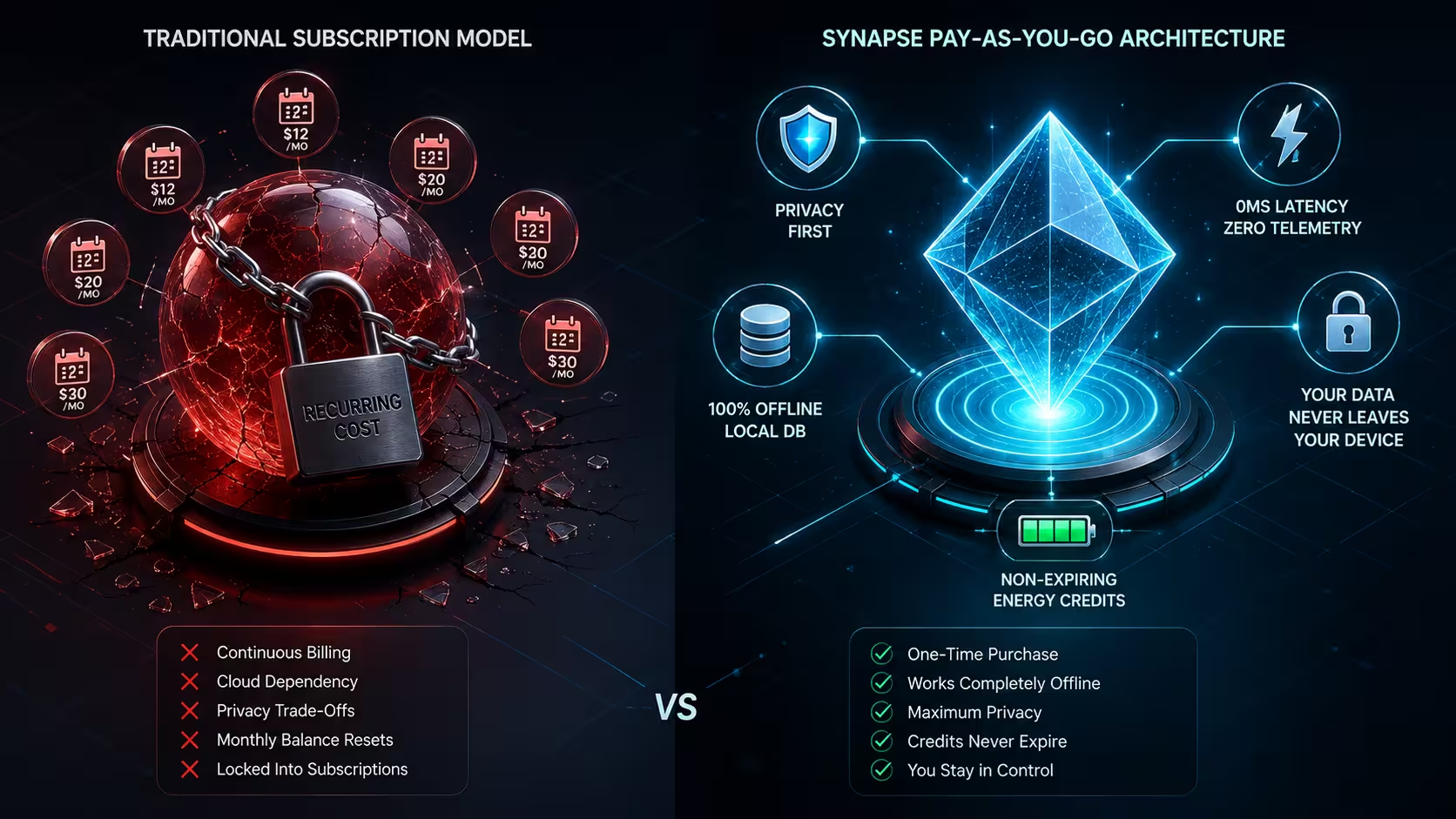
Feature & Economic Breakdown
| Capability / Attribute | Grammarly for Android | Microsoft SwiftKey (Copilot) | Gboard (Google AI) | Synapse AI Keyboard |
|---|---|---|---|---|
| Pricing Model | ❌ $12.00–$30.00 / month | ⚠️ Free (Requires MS Account) | ⚠️ Free (Requires Google Ecosystem) | 💎 Pay-As-You-Go ($5.00 flat) |
| Credit Expiration | ❌ Expires Every 30 Days | N/A | N/A | 🛡️ Credits Never Expire |
| Starter Free Tier | ⚠️ Basic typos only | ⚠️ Fixed Copilot modes | ⚠️ Flagship-restricted (Pixel only) | 🎁 20,000 Free Credits on Sign-In |
| In-Place AI Execution | ⚠️ Suggestion pills / floating bubble | ⚠️ Copilot sidebar | ⚠️ Pixel Proofread menu | ✅ Atomic In-Place Replacement |
| Custom User Prompts | ❌ No | ❌ No (Fixed 4 tones) | ❌ No | ✅ Unlimited Custom Prompts |
| Typing Telemetry | ⚠️ Cloud keystroke parsing | ⚠️ Microsoft diagnostic telemetry | ⚠️ Google learning telemetry | 🔒 100% Offline (Zero Keylogger) |
| Sensitive Field Exclusion | ⚠️ System default | ⚠️ System default | ⚠️ System default | 🛡️ Auto-Exclusion (TYPE_TEXT_VARIATION_PASSWORD) |
| Offline Text Shortcuts | ❌ No | ✅ Yes | ✅ Yes | ✅ 0ms Instant SQLite Expansion |
| Precision D-Pad Console | ❌ No | ⚠️ Spacebar slide only | ⚠️ Spacebar slide only | ✅ 4-Way Directional D-Pad Console |
| Crypto Payment (+30%) | ❌ No | ❌ No | ❌ No | ✅ USDT Supported (+30% Bonus) |
3. The Top Grammarly Keyboard Alternatives for Android (Tested & Ranked)
1. Synapse AI Keyboard — The High-Agency, No-Subscription Winner
Synapse AI Keyboard is engineered specifically for mobile professionals who refuse to pay recurring SaaS subscriptions for keyboard utility.
┌──────────────────────────────────────────────────────────────────────────┐
│                   SYNAPSE PAY-AS-YOU-GO PACKAGES                         │
├──────────────┬─────────────┬─────────────────┬───────────────────────────┤
│ Tier Name    │ Price (USD) │ Standard Credits│ Crypto Credits (+30% USDT)│
├──────────────┼─────────────┼─────────────────┼───────────────────────────┤
│ Free Starter │ $0.00       │ 20,000 cr       │ 20,000 cr (No Card Req.)  │
│ Mini         │ $5.00       │ 500,000 cr      │ 550,000 cr                │
│ Starter      │ $10.00      │ 1,000,000 cr    │ 1,150,000 cr              │
│ Growth       │ $15.00      │ 1,500,000 cr    │ 1,800,000 cr              │
│ Scale        │ $20.00      │ 2,000,000 cr    │ 2,500,000 cr              │
│ Max (Popular)│ $30.00      │ 3,000,000 cr    │ 3,900,000 cr              │
└──────────────┴─────────────┴─────────────────┴───────────────────────────┘
Why Synapse Outperforms Grammarly on Mobile:
- The In-Place Execution Engine: Instead of bouncing between WhatsApp, Chrome, and the ChatGPT mobile app (the exhausting 8-step copy-paste loop), Synapse intercepts your raw draft and replaces it with polished copy directly at your cursor in 2–3 seconds. Learn more in our guide on how to fix grammar while typing on Android.
- Unlimited Custom Prompts: Beyond standard grammar checking, you can save custom prompts in your keyboard toolbar. Tap "Match Job & Write Proposal" on Upwork, "Diplomatic Client Pushback" on Slack, or "Convert to Formal Tone" on Gmail. Check out our custom AI prompts guide for workflow inspiration.
- Pure Pay-As-You-Go Economics: Starting at $5 for 500,000 energy credits (or 550,000 credits when paid via USDT on Cryptomus), your balance never expires. A $5 top-up can easily cover 4–6 months of bursty daily messaging. See our breakdown of an AI keyboard without a subscription.
- Built-in Power Tools: Features a 4-way precision D-Pad cursor console for editing code and small characters without touchscreen frustration, 10 synthesized mechanical sound profiles, and an offline Room DB text shortcut engine (
addr➔ full crypto/bank address in 0ms). - Zero Keystroke Keylogging: Verified clean with an official 0/60 VirusTotal security audit report, Synapse never logs your keystrokes or transmits your personal typing history to the cloud. Read our complete Android keyboard privacy guide.
- Best For: Freelancers, developers, remote managers, and privacy-focused power users who want professional AI writing without a monthly bill.
- Pricing: Free 20,000 starter credits on Google sign-in; $5–$30 non-expiring credit packs thereafter.
2. Gboard (Google Keyboard) — The Standard Free Autocorrect Baseline
Gboard comes pre-installed on the vast majority of Android devices. For everyday casual texting where you only need basic typo correction and quick voice input, Gboard remains an exceptional free baseline.
- Strengths: Zero installation friction, reliable multi-language autocorrect, fast swipe typing, and robust Google Translate integration in a secondary menu.
- Limitations: Gboard is a reactive typing tool. On non-Pixel devices, it lacks contextual sentence restructuring, tone transformation, and custom prompt execution. Google also utilizes anonymized typing telemetry for model training.
- Best For: Users who only need standard spellchecking and have zero requirement for professional writing prompts or generative AI sentence reconstruction.
- Pricing: 100% Free.
3. Microsoft SwiftKey (Copilot) — Strong Multi-Language Prediction
Microsoft SwiftKey is famous for its predictive typing engine and seamless bilingual typing support. With the integration of Microsoft Copilot, SwiftKey offers pre-configured AI rewriting modes directly inside the keyboard toolbar.
- Strengths: Excellent swipe engine, strong next-word prediction, and built-in Copilot presets (Professional, Casual, Polite, Social Post).
- Limitations: SwiftKey’s AI capabilities are locked into a rigid, non-customizable menu. You cannot write your own custom system prompts or save bespoke freelance proposal templates. Furthermore, advanced Copilot features require a Microsoft account login and transmit data through Microsoft's cloud infrastructure. Read our SwiftKey Copilot alternative breakdown for detailed comparisons.
- Best For: Texters who prioritize swipe typing and bilingual prediction alongside basic preset tone rewrites.
- Pricing: Free (with Microsoft account).
4. LanguageTool Keyboard — The European Multilingual Specialist
LanguageTool began as an open-source rule-based grammar checker and has evolved into one of the strongest multilingual editing engines in the world.
- Strengths: Exceptional grammar and punctuation correction across 25+ languages, including German, French, Spanish, Polish, and Dutch (often outperforming Grammarly in non-English European syntax).
- Limitations: LanguageTool is strictly an error-correction tool. It does not compose new copy, translate dynamically, or execute custom prompts. Its Premium tier costs ~$5 to $8/month, which—while cheaper than Grammarly—still enforces a monthly recurring charge.
- Best For: Multi-language translators and European professionals who only need grammar and punctuation auditing without generative AI features.
- Pricing: Free basic tier; ~$60/year Premium subscription.
5. TypeAI & Generic AI Keyboard Wrappers — The Aggressive Subscription Traps
The Google Play Store contains dozens of third-party "AI Keyboards" (such as TypeAI, ParagraphAI, and ChatOn Keyboard) built as thin wrappers around OpenAI APIs.
- Strengths: Quick access to ChatGPT-style prompts inside an on-screen keyboard.
- Limitations: Most of these apps deploy aggressive paywalls, locking users into weekly subscriptions of $6.99/week ($28/month or over $330/year) with intrusive pop-up ads on the free tier. They lack native Android IME optimization, resulting in typing lag and high battery drain. Read our full TypeAI alternative teardown for an in-depth economic analysis.
- Best For: Casual experimenters who do not mind paying weekly subscription fees.
- Pricing: $6.99/week to $19.99/month.
4. How Synapse Works Under the Hood: The Zero-Silo Architecture
To understand how Synapse replaces the clunky 8-step copy-paste workflow, let's examine the workflow comparison:
┌──────────────────────────────────────────────────────────────────────────┐
│                   THE 8-STEP CHATGPT WORKFLOW (BROKEN)                   │
├──────────────────────────────────────────────────────────────────────────┤
│ 1. Type draft in WhatsApp ➔ 2. Select All ➔ 3. Copy ➔ 4. Switch to App   │
│ 5. Paste in ChatGPT ➔ 6. Wait & Copy Output ➔ 7. Switch Back ➔ 8. Paste  │
└──────────────────────────────────────────────────────────────────────────┘

┌──────────────────────────────────────────────────────────────────────────┐
│                   THE SYNAPSE 1-TAP WORKFLOW (ATOMIC)                    │
├──────────────────────────────────────────────────────────────────────────┤
│ 1. Type draft in any app ➔ Tap 'S' Prompt Pill ➔ 2. Text Replaced In-Place│
└──────────────────────────────────────────────────────────────────────────┘
Why This Matters for Speed and Focus:
- Zero App Switching: You never leave your client conversation in WhatsApp, your ticket in Jira, or your proposal in Upwork. Check our guide on how to use an AI keyboard in WhatsApp.
- Atomic In-Place Replacement: Android's native
InputConnectionensures the draft is cleanly replaced without cursor jumping or clipboard corruption. - Zero Telemetry on Passwords: Synapse explicitly inspects Android input flags. Whenever an app requests
TYPE_TEXT_VARIATION_PASSWORDor numeric OTP PIN fields, the AI execution toolbar and clipboard history are immediately disabled to guarantee complete cryptographic safety.
5. Mathematical Breakdown: Real-World SaaS Cost Comparison
Let’s evaluate the actual financial outlay of Grammarly Premium versus Synapse across two realistic professional user profiles over a 12-month timeline.
┌──────────────────────────────────────────────────────────────────────────┐
│                   12-MONTH FINANCIAL OUTLAY COMPARISON                   │
├───────────────────────┬───────────────────┬──────────────────────────────┤
│ User Scenario         │ Grammarly Premium │ Synapse AI Keyboard          │
├───────────────────────┼───────────────────┼──────────────────────────────┤
│ Light Mobile User     │ $144.00 (Annual)  │ $5.00 (Mini 500k Pack)       │
│ Active Freelancer     │ $144.00–$360.00   │ $15.00 (Growth 1.8M Pack)    │
│ High-Volume Agency Rep│ $360.00 (Monthly) │ $30.00 (Max 3.9M USDT Pack)  │
└───────────────────────┴───────────────────┴──────────────────────────────┘
Case Scenario A: The Part-Time Freelancer / Student
- Usage Pattern: Polishes 5–10 important emails, assignments, or job applications per week (~35 AI actions/month).
- Grammarly Cost (1 Year): $144.00 (billed annually) or $360.00 (billed monthly).
- Synapse Cost (1 Year): $5.00 total. The 500,000 credit Mini pack easily covers ~600 to 1,000 AI executions. The remaining balance rolls over into Year 2 automatically.
- Net Savings: $139.00 to $355.00 (96% to 98% savings).
Case Scenario B: The Full-Time Upwork Contractor
- Usage Pattern: Sends 20+ custom proposals, client status reports, and daily WhatsApp updates (~300 AI actions/month).
- Grammarly Cost (1 Year): $144.00 to $360.00.
- Synapse Cost (1 Year): $15.00 to $20.00 (Growth or Scale pack providing 1.8M to 2.5M credits).
- Net Savings: $124.00 to $340.00 plus access to custom proposal prompts that Grammarly cannot execute. Check out our freelancer AI prompts guide for top-converting pitch templates.
6. How to Set Up Synapse on Android in Under 60 Seconds
Migrating from Grammarly to Synapse is straightforward and requires no credit card.
- Download the Verified APK: Visit synapsetalk.com and download the latest release APK. Every build is accompanied by an open SHA-256 cryptographic checksum and an official 0/60 clean VirusTotal security report.
- Enable the Input Method: Open your Android device's Settings ➔ System ➔ Languages & Input ➔ On-screen Keyboard, and toggle Synapse to ON. (Check our step-by-step Android keyboard guide if you need brand-specific walkthroughs).
- Claim Your 20,000 Free Credits: Open any text conversation (WhatsApp, Gmail, Slack, or Notes), switch your default input method to Synapse, and complete a 1-tap Google sign-in. Your account is immediately credited with 20,000 starter energy credits with zero credit card entry required.
- Run Your First Grammar Fix: Type a quick draft with a deliberate typo, select the text, tap the 'S' toolbar icon, and select "Fix Grammar" or "Formal Tone". Watch your text update cleanly in place.
7. Frequently Asked Questions (FAQ)
What makes Synapse the best Grammarly keyboard alternative on Android?
Synapse replaces Grammarly's costly $12–$30/month subscription with an honest, non-expiring pay-as-you-go credit architecture starting at $5. Beyond basic spellchecking, Synapse features an open prompt engine that lets you execute custom freelance proposals, tone transformations, and multilingual translations directly at your mobile cursor without monthly recurring charges.
Why did Grammarly change its Android keyboard app?
Grammarly transitioned from its standalone dedicated keyboard to a companion app with a floating overlay widget. Many Android users find floating bubbles obtrusive and report typing lag from continuous accessibility service inspection. Synapse operates as a native Android Input Method Engine (IME), ensuring smooth typing performance with zero floating UI clutter.
Is Synapse safe to install as an APK?
Yes. Synapse is built with strict privacy guarantees. The APK undergoes comprehensive security auditing with a publicly verifiable 0/60 clean score on VirusTotal. The app only requests baseline internet and vibration permissions (android.permission.INTERNET, android.permission.VIBRATE) and never accesses your contacts, microphone, camera, or device storage. Read our Android keyboard privacy guide for full audit details.
How do non-expiring energy credits work?
When you purchase a credit pack (e.g., Mini $5 for 500,000 credits or Max $30 for 3,900,000 credits via crypto), those units remain in your account balance until you use them. There are no monthly billing cycles, no recurring credit card charges, and no automatic balance resets.
Can I pay with cryptocurrency for extra bonus credits?
Yes. Through our Cryptomus integration, you can purchase any credit pack using USDT and supported cryptocurrencies. Every crypto checkout automatically receives a +30% bonus credit boost (e.g., $30 yields 3,900,000 credits instead of 3,000,000).
What happens to my typing data and passwords?
Your standard offline typing never leaves your device. Synapse has no cloud keylogger and collects zero typing telemetry. Furthermore, the keyboard engine automatically detects secure input fields (TYPE_TEXT_VARIATION_PASSWORD) and immediately disables all AI and clipboard capture functionality to protect your credentials.