
AI Keyboard for WhatsApp — Grammar, Translation & Tone at Your Fingertips
Stop copying messages back and forth to ChatGPT. Fix typos, translate international client conversations, and adjust message tone directly inside your WhatsApp chat window.
Does Not Compromise WhatsApp End-to-End Encryption
WhatsApp encrypts messages so only you and your recipient can read them. Synapse respects this security model completely: normal keystrokes stay 100% offline on your device. Only text you manually highlight and choose to send to an AI prompt is processed via secure HTTPS API. Synapse never reads background chat logs or contact data.
4 Daily WhatsApp Workflows Powered by AI
Client Inquiry & Business Tone
Turn hasty bullet points into polished, courteous business replies. Keep client conversations formal and respectful without spending 10 minutes drafting.
In-Chat Foreign Translation
Chat smoothly with suppliers in China or clients in Germany. Run “Translate to German” prompts without ever closing WhatsApp or opening Google Translate.
Softening Difficult Messages
Avoid accidental friction with friends, family, or colleagues. Run prompt “Make this diplomatic and soft” to preserve positive relationships.
Fast Reusable Shortcuts
Store your bank account IBAN, meeting calendar link, or store catalog link. Type “paylink” or “cal” and Synapse instantly expands it offline.
See Synapse Active Inside WhatsApp
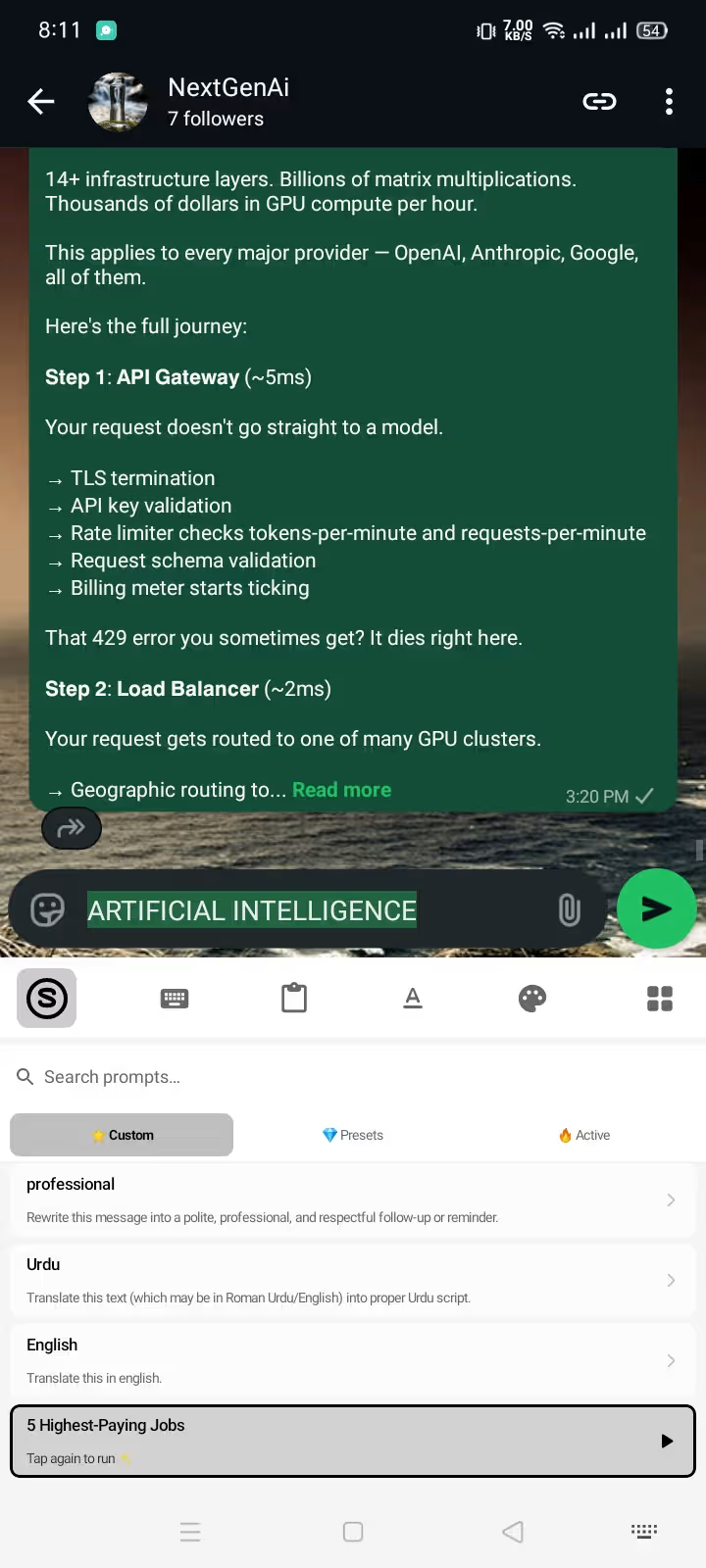
1. Select text & tap prompt
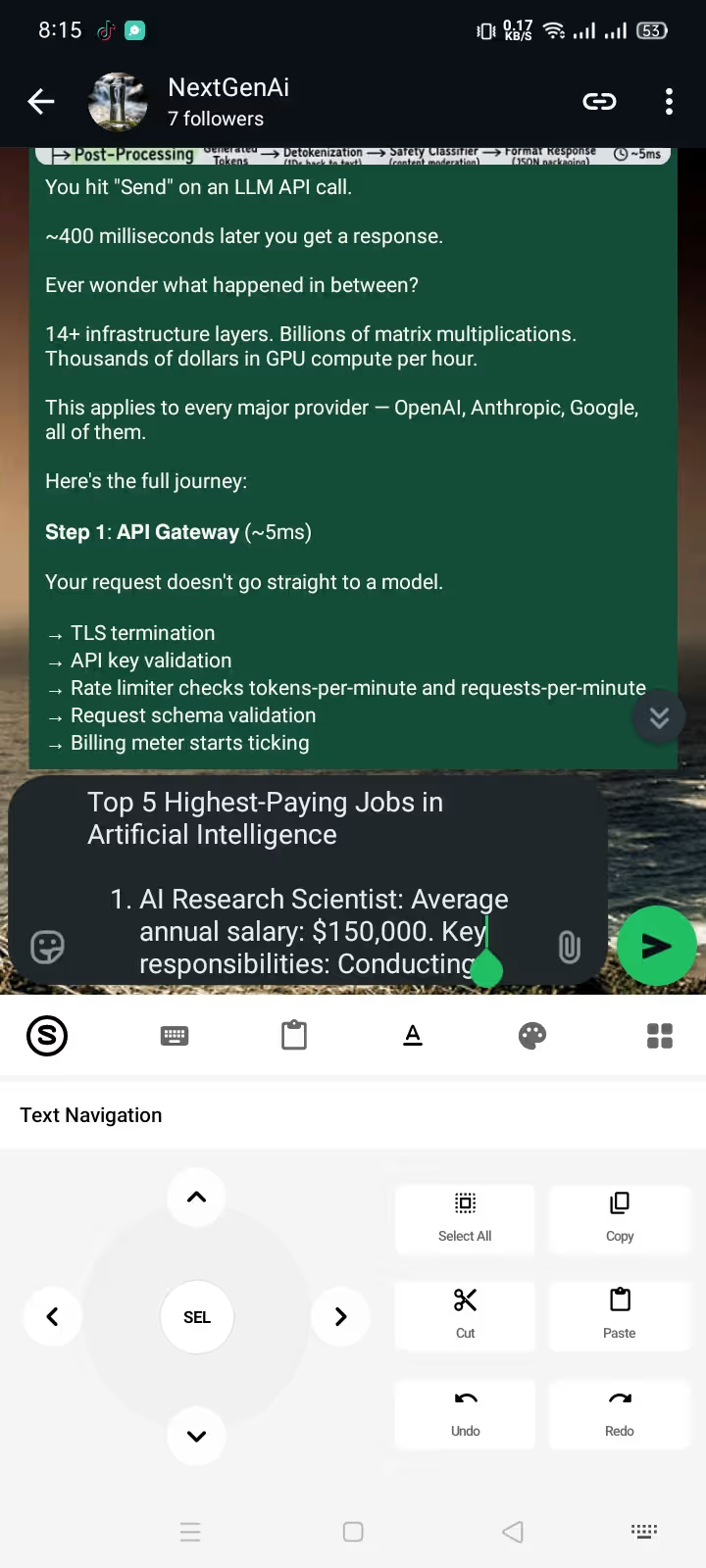
2. Fast on-demand generation
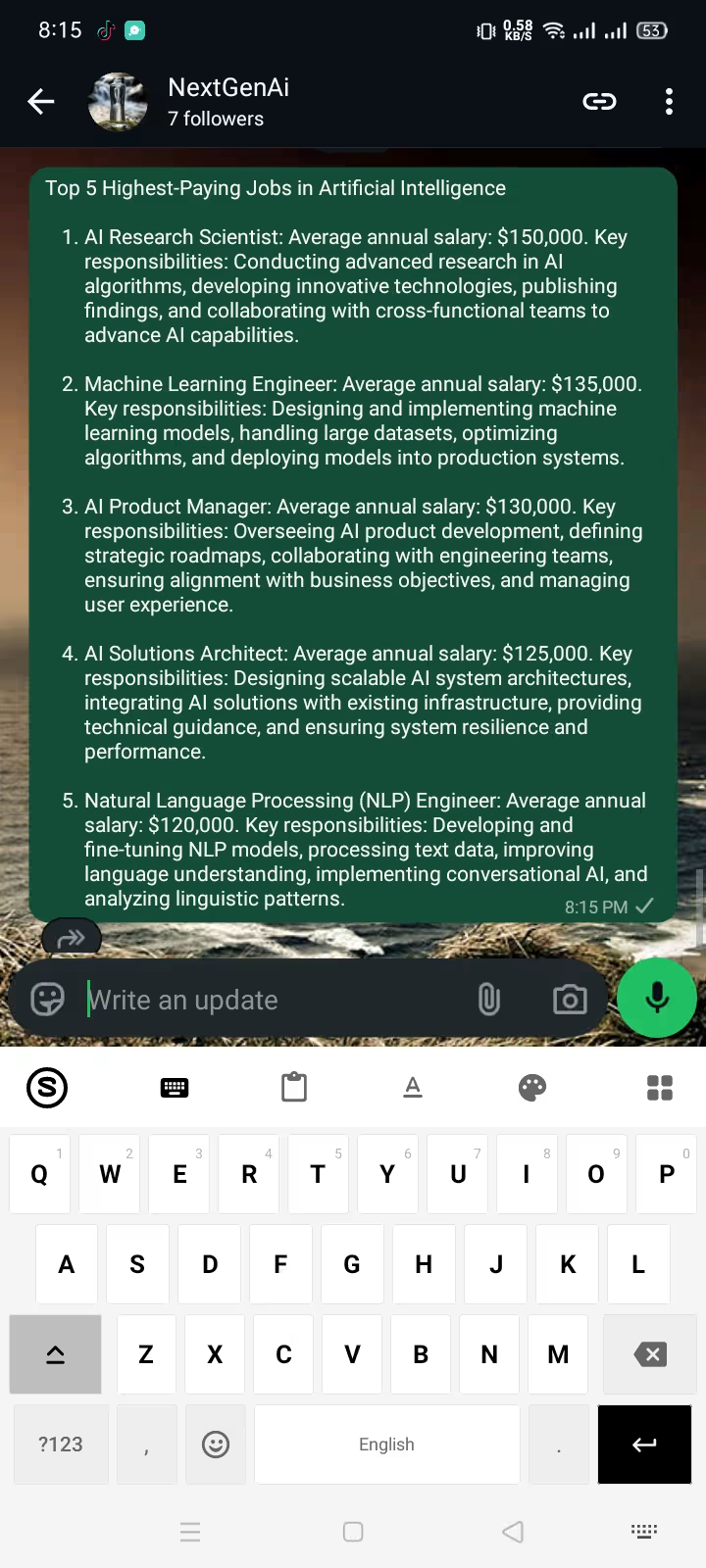
3. Replaces draft in 1 tap
Looking to Format WhatsApp Fonts?
Try our free browser-based tool to convert regular text into WhatsApp bold, italic, monospace, and strikethrough with a single click.
Frequently Asked Questions: WhatsApp AI Keyboard
Does Synapse read my private WhatsApp messages or break encryption?
No. WhatsApp's end-to-end encryption secures messages between your device and the recipient. Synapse operates as a standard Android system keyboard and has zero access to your chat history or incoming messages. Furthermore, your regular keystrokes never leave your phone. The only text processed by AI is what you explicitly highlight and submit via a prompt.
Can I translate incoming and outgoing WhatsApp messages?
Yes. To translate incoming messages: copy the text from WhatsApp into your input field, highlight it, and tap your saved 'Translate to English' prompt. To send foreign language replies: type in your native language, select the text, and tap 'Translate to [Spanish/Arabic/German]' — the translated text replaces your draft in place.
Does using Synapse violate WhatsApp terms of service or risk a ban?
No. Synapse is not a WhatsApp 'mod', third-party client (like GBWhatsApp), or scraper. It is an official Android Input Method Editor (IME), identical in operating system permissions to Gboard or Samsung Keyboard.
How does the tone switcher work in WhatsApp chats?
Select your draft text, tap the Synapse toolbar icon, and choose your preferred tone prompt — such as 'Make this diplomatic and polite' or 'Shorten and make friendly'. The AI rewrites your message directly in the WhatsApp composer in 1–2 seconds.
Is the WhatsApp AI keyboard free to use?
Yes. Downloading Synapse includes 20,000 free credits. Each rewrite or translation costs a tiny fraction of a credit, and credit top-ups start at $5 with no recurring subscription fees.
Does it work in WhatsApp Business as well?
Yes. Synapse functions identically across standard WhatsApp and WhatsApp Business, making it ideal for client customer support, quick product FAQs, and international buyer inquiries.
Works in WhatsApp & WhatsApp Business · Android 8.0+ · Zero Data Logging · No Subscriptions