
AI Keyboard for Freelancers — Write Faster Proposals, Win Higher-Paying Clients
Your proposal quality and response time directly determine your freelance revenue. Fix grammar, adapt tones, and deploy custom proposal prompts inside Upwork, Fiverr, Gmail, and Slack.
Bid in Under 60 Seconds
The first 3 proposals on Upwork receive 80% of client views. Submit custom, high-converting pitches right from your phone before competitors even open their laptops.
High-Converting Tone
Transform casual draft notes into confident, authoritative proposals that justify premium hourly rates and eliminate scope misunderstandings.
Zero Monthly Subscriptions
Stop paying $30/month for writing SaaS tools. Synapse is pay-as-you-go from $5. You only pay for the exact AI prompts you execute.
3 Battle-Tested Prompt Formulas Built for Freelancers
1. The Upwork Hook Proposal Formula
Saved PromptYour Instruction: “Rewrite this into a 3-paragraph Upwork pitch: Hook addressing their core challenge first, specific proof of past similar work, and an open question to initiate chat.”
2. The Polite Scope-Creep Protector
Saved PromptYour Instruction: “Politely inform the client that this feature is outside the agreed milestone and provide an estimated budget/time to add it.”
3. Friendly Milestone Payment Follow-Up
Saved PromptYour Instruction: “Polite check-in asking if they had a chance to review the submitted milestone deliverables without being pushy.”
Workflow: From Mobile Notification to Sent Bid
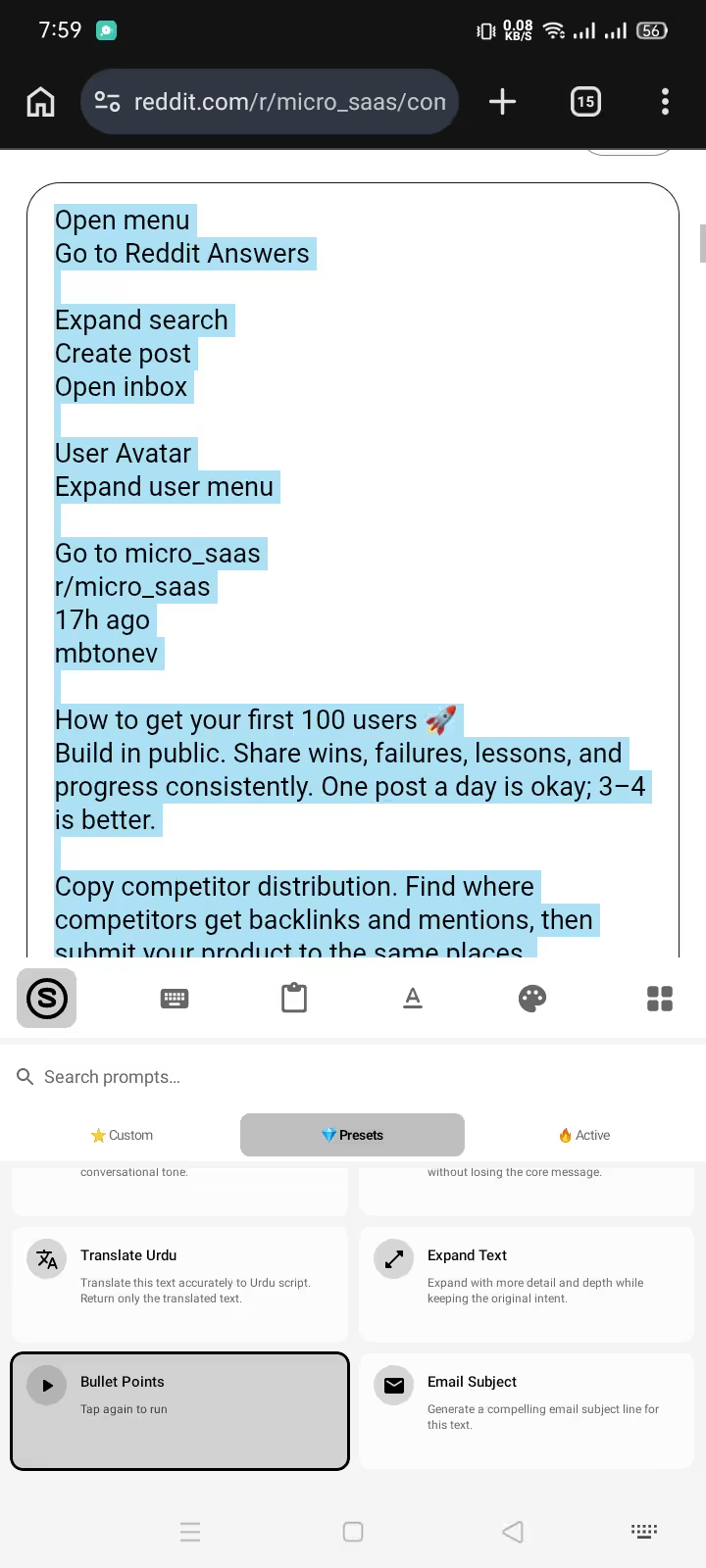
Step 1: Select & Run Saved Prompt
Tap your saved freelancer prompt right from the keyboard bar.
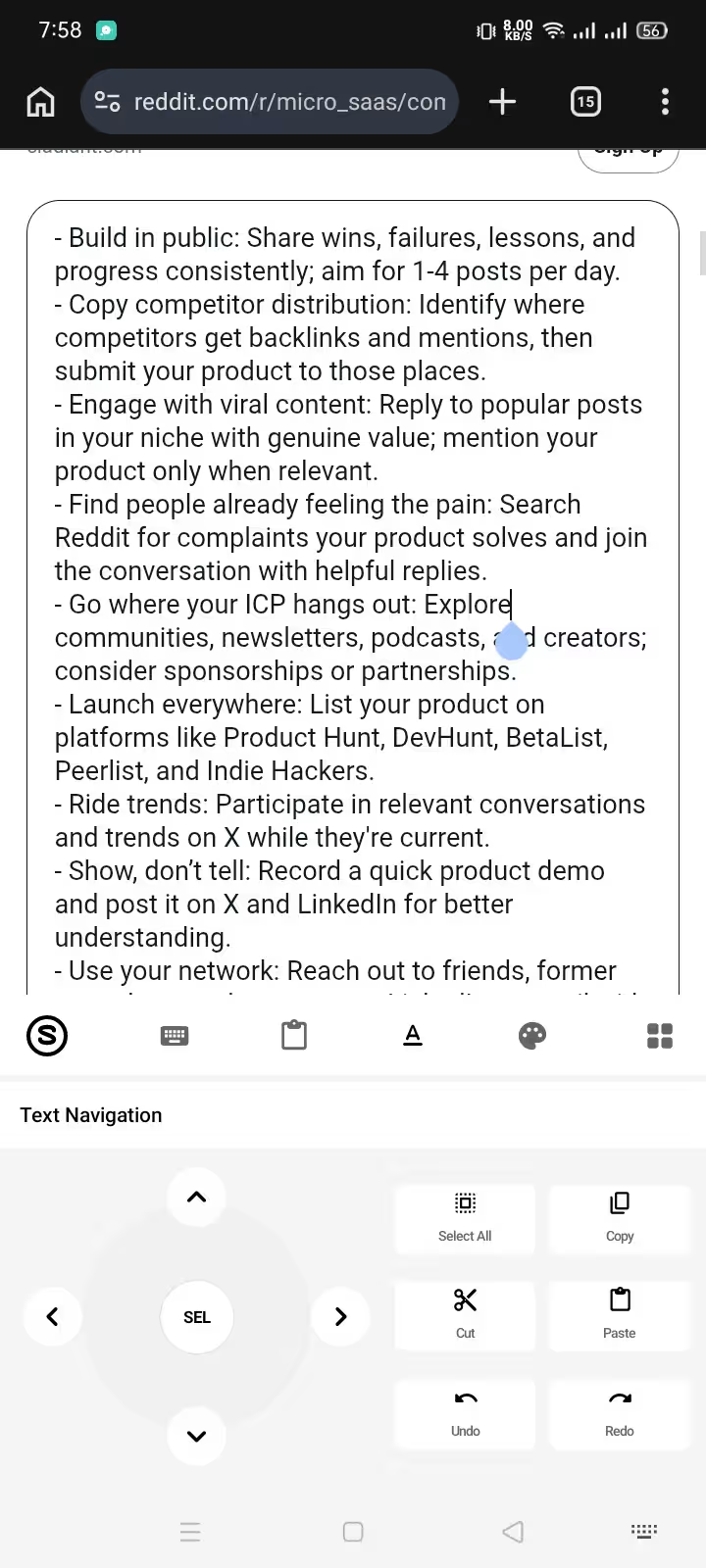
Step 2: Instant In-Place Replace
Review the structured proposal, verify scope, and tap submit.
Frequently Asked Questions: AI Keyboard for Freelancers
How does Synapse help freelancers win more jobs on Upwork and Fiverr?
Speed and personalization dictate freelance hiring rates. When a new job is posted on Upwork or a buyer messages you on Fiverr, responding within 5 minutes with a tailored, typo-free proposal dramatically increases your interview rate. With Synapse, you draft key client requirements on your phone, run your custom 'Upwork Proposal Pitch' prompt, and submit a tailored pitch in under 60 seconds without opening a laptop.
Does Synapse generate generic AI spam proposals?
No. Synapse works strictly with your input: you type specific client details (e.g. project scope, relevant portfolio URL, delivery timeline), select the text, and the AI structures it according to your custom prompt instructions. You maintain 100% control over pricing, scope, and technical promises.
Can I save custom templates for different types of freelance work?
Yes. You can save unlimited custom prompts directly inside the keyboard: 'Web Development Proposal', 'Copywriting Hook', 'Scope Creep Rejection', 'Milestone Payment Reminder', and 'Translate to Client Language'. They are accessible in any messaging or freelance app in two taps.
Do I have to pay a monthly subscription like other AI writing tools?
No. Monthly subscriptions (like Jasper or Grammarly Premium) charge $12 to $39/month whether you use them or not. Synapse is pay-as-you-go: you get 20,000 free energy credits to start, and top-ups begin at just $5. Credits never expire.
Which freelance platforms and chat tools are supported?
Synapse operates as an Android system keyboard, functioning seamlessly inside the Upwork mobile app, Fiverr app, Freelancer.com, Gmail, Slack, Discord, Telegram, and mobile web browsers.
Can I pay for credits using cryptocurrency?
Yes. Many international freelancers prefer USDT or crypto to avoid bank exchange fees. Synapse accepts USDT and other cryptocurrencies with an automatic +30% energy credit bonus on every crypto checkout.
Compatible with Upwork, Fiverr, Gmail & Slack · Android 8.0+ · Zero Subscription Lock-In