
AI Grammar Checker Keyboard for Android — Instant Contextual Fixes
Never let an embarrassing typo or broken sentence undermine your credibility. Get real-time contextual grammar correction, tone alignment, and vocabulary enhancement directly inside every app on your Android device.
Why On-Demand AI Beats Traditional Autocorrect
Traditional mobile autocorrect is built on primitive dictionary lookup algorithms. It constantly “corrects” words you meant to type into unintended words, while completely missing complex grammatical errors like dangling modifiers, subject-verb disagreements, and awkward phrasing.
Conversely, browser-based grammar tools force you to draft in a separate app, wait for sluggish cloud underlines, copy the result, and paste it back into your chat. Synapse solves this permanently by embedding modern Large Language Model (LLM) intelligence right at the OS keyboard level.
Traditional Mobile Proofreading
- • Annoying red squiggles that lag low-end mobile CPUs
- • Sends every single keystroke to remote servers
- • Expensive $12–$30/month recurring subscriptions
- • Inflexible: cannot adjust tone or custom writing guidelines
Synapse On-Demand Workflow
- • Type freely at maximum speed without distraction
- • One-tap AI contextual polish that replaces text in place
- • Zero keylogging: normal typing never touches external networks
- • Pay-as-you-go from $5: pay only for what you actually rewrite
How to Fix Grammar in 3 Simple Taps
Draft Your Thought
Type naturally in WhatsApp, Gmail, Slack, or Upwork without worrying about minor punctuation or typos.
Select Text & Tap Synapse
Highlight the draft sentence or paragraph. Tap the Synapse AI icon right on your keyboard toolbar.
Instant Contextual Replace
Tap “Fix Grammar”. The AI reconstructs phrasing and drops the flawless response directly into the text field.
Real-World Proofreading Transformations
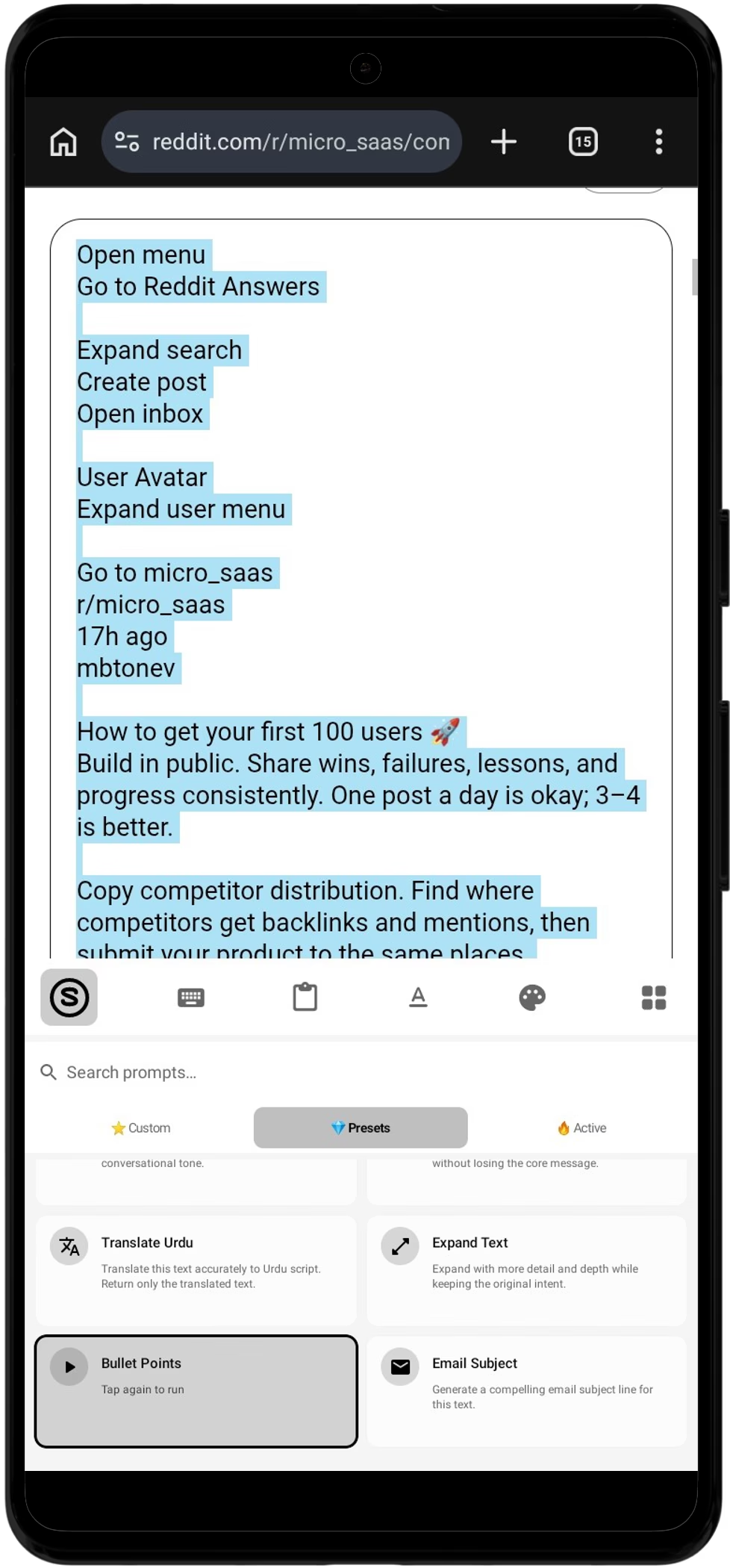
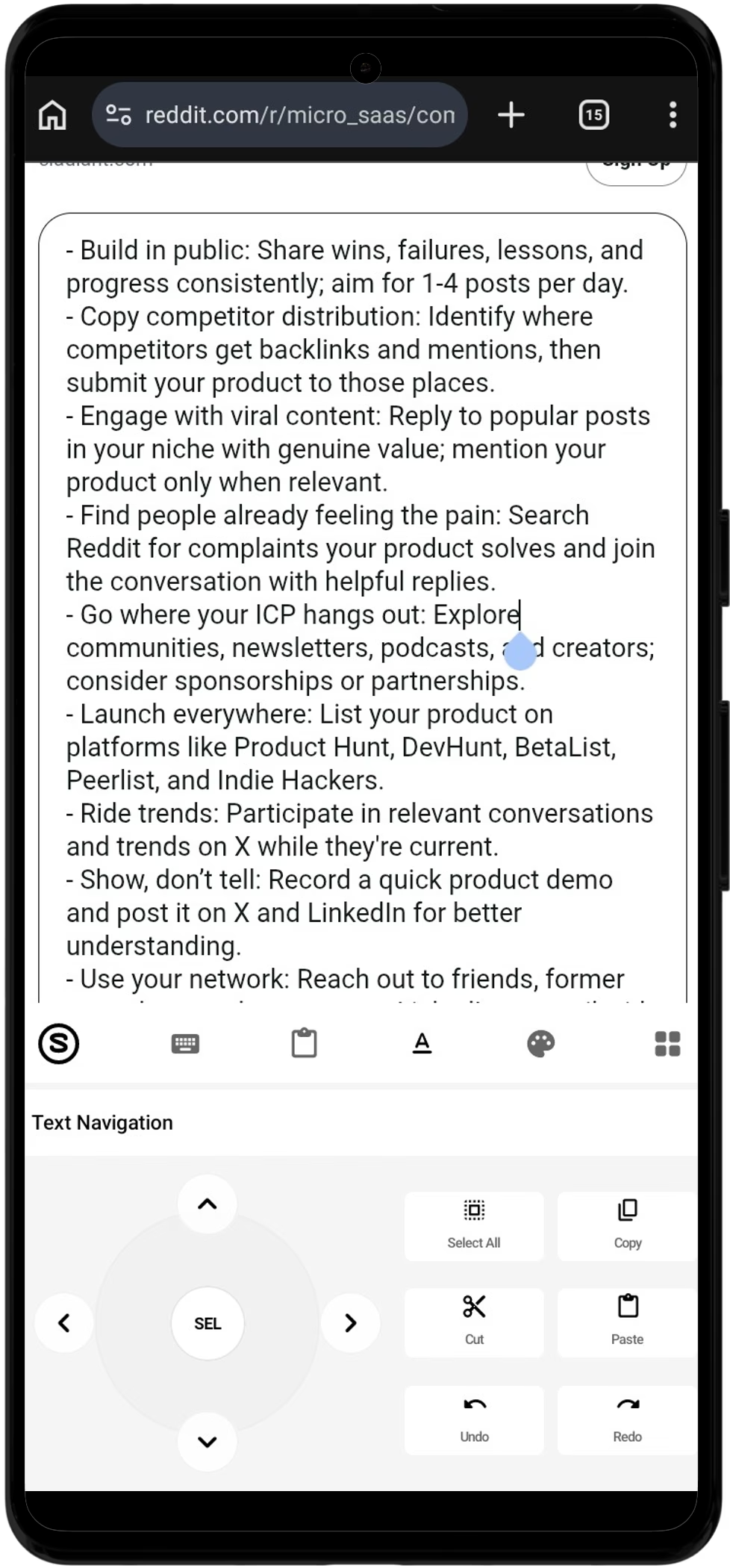
Visual Mobile Comparison
Notice how the AI doesn't just correct letter-by-letter spelling mistakes — it understands the context, adjusts passive aggressive tones, and formats proper sentence punctuation in seconds.
Works in Every Android App
Unlike Chrome extensions or browser add-ons that fail on mobile apps, Synapse operates as an OS-level Android Input Method (IME). Grammar checking is permanently available across all your apps:
AI Grammar Checker Keyboard FAQ
How is an on-demand AI grammar keyboard different from Grammarly?
Grammarly continuously scans your text as you type, rendering red underlines under individual words. This often introduces typing lag on mobile devices and transmits all keystrokes to the cloud. Synapse works on-demand: you draft freely at full typing speed, select your text when ready, and tap 'Fix Grammar'. The AI analyzes the entire contextual meaning of your paragraph and replaces it with polished prose in 1–2 seconds.
Does Synapse read my private WhatsApp chats or passwords?
No. Standard keystrokes never leave your Android phone. Synapse only processes text when you explicitly highlight it and select an AI prompt action. Password fields, OTP codes, and credit card numbers are handled via standard Android secure input flags and are never inspected or transmitted.
Which Android apps are supported?
Because Synapse is a system-wide Android Input Method Editor (IME), its grammar engine works in 100% of Android apps with text input: WhatsApp, Gmail, Slack, Telegram, Upwork, Fiverr, Reddit, Instagram, LinkedIn, and mobile web browsers.
Is the AI grammar checker keyboard free?
Yes. Synapse is free to download and includes 20,000 energy credits on signup. Each grammar fix costs a nominal credit amount (approximately 50–100 credits per paragraph). You can top up whenever you need starting at $5, with no mandatory recurring monthly subscription.
Can it fix grammar in languages other than English?
While the physical keyboard layout is currently English QWERTY, the underlying AI engine understands and corrects grammar, syntax, and phrasing across 30+ languages including Spanish, French, German, Arabic, Urdu, and Hindi.
Does the keyboard function if I am offline?
Standard typing, offline text shortcuts, and the clipboard manager work completely offline without an internet connection. Invoking AI grammar checks or custom tone prompts requires an active data or Wi-Fi connection to reach the secure LLM inference engine.
Android 8.0+ · No Subscriptions · Zero Keystroke Logging · VirusTotal Verified