
Synapse vs. Grammarly Keyboard for Android
Is Grammarly's $144/year subscription still worth it in the era of modern LLMs? Compare keystroke privacy architecture, mobile typing latency, and writing flexibility.
The Direct Verdict
Choose Grammarly Keyboard if you write academic papers and need constant token-by-token passive red squiggles as you draft, and do not mind paying a recurring $144/year subscription while transmitting keystroke tokens to cloud servers.
Choose Synapse Keyboard if you value complete keystroke privacy, want zero-lag native typing speed, require custom AI tone prompts (like Upwork bids or WhatsApp polishing), and prefer paying pennies on-demand ($5 lifetime packs) instead of locking into predatory monthly bills.
Zero keystroke telemetry, 100% offline normal typing, free-form AI prompt actions, and pay-as-you-go pricing from $5.
Real-time passive red squiggles and extensive brand familiarity for desktop and mobile proofing.
Detailed Technical Specification Breakdown
| Evaluation Category | Synapse Keyboard | Grammarly Keyboard |
|---|---|---|
| Keystroke Privacy & Telemetry | Zero Keystroke Logging Keystrokes remain in local RAM. Cloud LLMs called strictly on explicit prompt trigger. | Continuous Cloud Telemetry Transmits active sentence tokens to cloud servers continuously for real-time underline analysis. |
| Typing Latency & Input Lag | Sub-16ms Native Typing (60+ FPS) Zero background parsing during typing. Cloud inference runs asynchronously in 1–2s upon tap. | 150ms–400ms In-Line Drag Passive tokenization and real-time suggestion rendering introduce perceptible cursor stutter. |
| Grammar & Proofreading Method | On-Demand Contextual LLM Reconstructs entire sentence semantics, correcting nuance, dangling modifiers, and tone in one tap. | Token-by-Token Underline Rules Flags individual words with red squiggles. Excellent for basic typos, weaker on holistic paragraph flow. |
| Custom AI Prompts & Tones | Unlimited Arbitrary Prompts Supports user-defined macros ('Diplomatic refusal', 'Upwork bid', 'Executive bullet points'). | Fixed Tone Sliders Preset tone goals (Formal, Casual, Direct). No ability to execute custom system instructions. |
| Offline Functionality | Hybrid (Typing 100% Offline) Keyboard typing, text expansion, and clipboard work completely offline. Data only used for AI rewrites. | Requires Continuous Network Grammar engine disables or degrades to basic system spellcheck when internet drops. |
| Battery & Background Resource Draw | < 2% Battery Impact per Day Zero background network polling or persistent daemons. Socket closes immediately after prompt. | 5%–9% Battery Impact per Day Active background network connections and linguistic listeners keep device radios energized. |
| Pricing & Billing Model | Pay-As-You-Go ($0 Monthly Fees) 20,000 free credits at signup; lifetime non-expiring credit top-ups from $5. Crypto USDT accepted (+30%). | $144/yr or $30/mo Subscription Free tier restricted to basic spellcheck; tone rewrites and vocabulary enhancements require Premium. |
1. Privacy Architecture: Continuous Logging vs. Zero Keystroke Capture
Because Grammarly is designed around continuous, real-time corrections, the mobile app operates active HTTP web-sockets that pipe typed character sequences to Grammarly cloud servers. Even though Grammarly has industry-standard privacy certifications, your sentence drafts, personal musings, and confidential business context leave your mobile phone before you even finish writing.
How Synapse is fundamentally different: Synapse separates standard keystrokes from AI execution. While you type, the keyboard runs 100% locally. No background sockets are open. Only when you explicitly select a chunk of text and tap an action button (e.g., “Fix Grammar” or “Rewrite Professional”) is that single snippet encrypted and processed via LLM API. Sensitive fields (passwords, PINs, OTP codes) are strictly excluded at the OS level.
Grammarly Telemetry Model
- • In-line typing continuously streamed to remote parsing servers
- • Passive token monitoring across non-password fields
- • Dependent on active internet connection to proofread
Synapse Zero-Logging Model
- • Local RAM storage only; zero keystroke transmission
- • AI processing triggered strictly on manual prompt selection
- • Hardware-level masking on all secure OS input fields
2. Mobile Performance: Typing Latency & Battery Drain
Many Android users notice that Grammarly Keyboard introduces cursor stutter and lag on mid-tier Android devices. This happens because the keyboard is simultaneously rendering keys, managing the Android input connection, tokenizing substrings, dispatching network payloads, and dynamically rendering floating red squiggles above the active text cursor.
Synapse maintains a guaranteed sub-16ms touch-to-render frame budget. Typing feels crisp and instantaneous. When you invoke AI assistance, the computation runs in an asynchronous background worker that delivers the polished replacement in 1–2 seconds, using negligible battery (< 2% daily average).
3. Pricing Reality: $144/Year vs. Pay-As-You-Go
SaaS subscription models penalize users who don't use software around the clock. If you rewrite 10–20 messages a day, paying Grammarly $30/month or $144/year means you are paying an exorbitant markup per rewritten paragraph.
Grammarly Mobile Cost
$144 / year
Required to unlock advanced tone rewrite, clarity suggestions, and vocabulary enhancements. Missing a monthly payment immediately downgrades you to basic spellcheck.
Synapse Pay-As-You-Go
$0 Mandatory Fees
Receive 20,000 free credits on install. Top up with permanent credits starting at just $5 whenever you need. Unused credits never expire. Pay exclusively for what you rewrite.
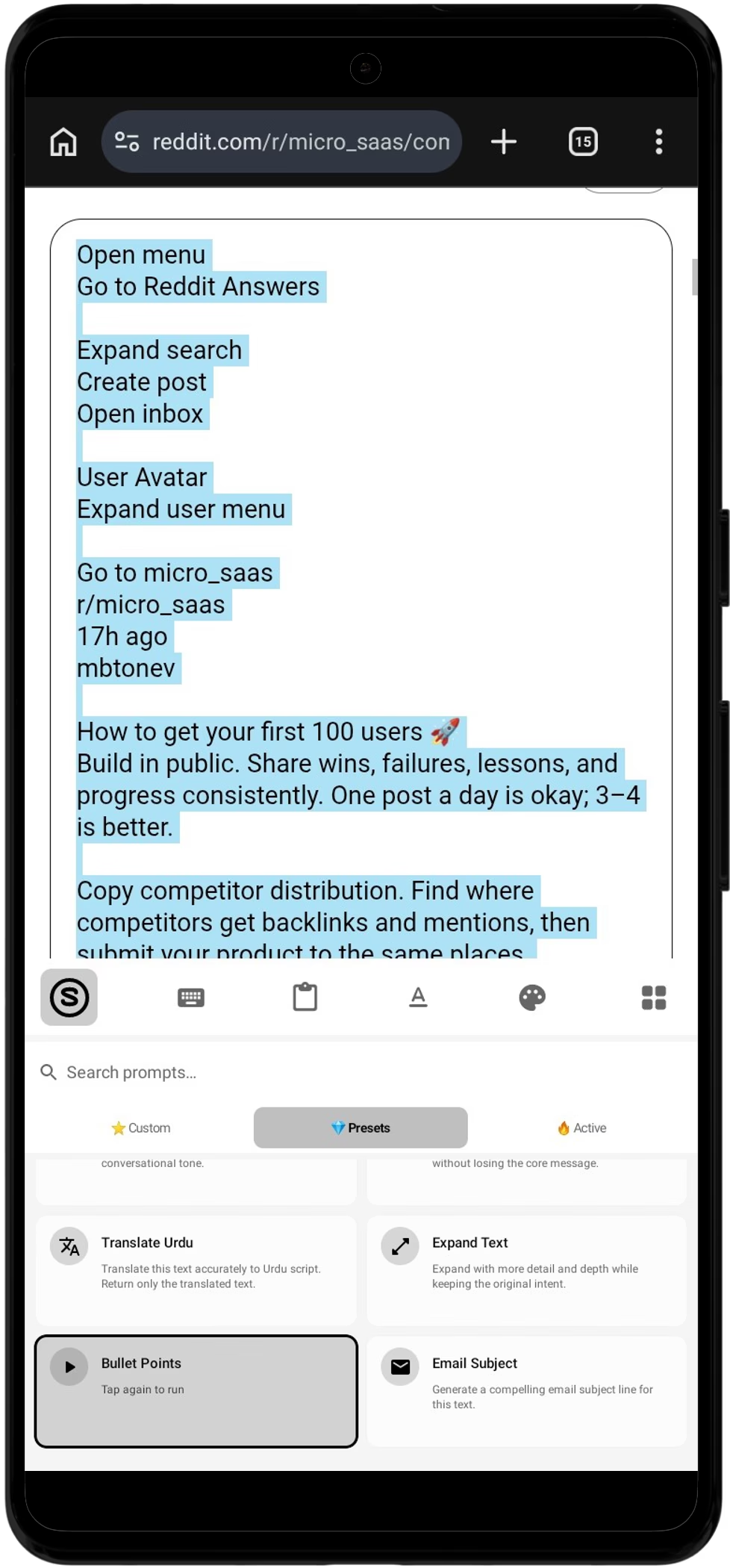
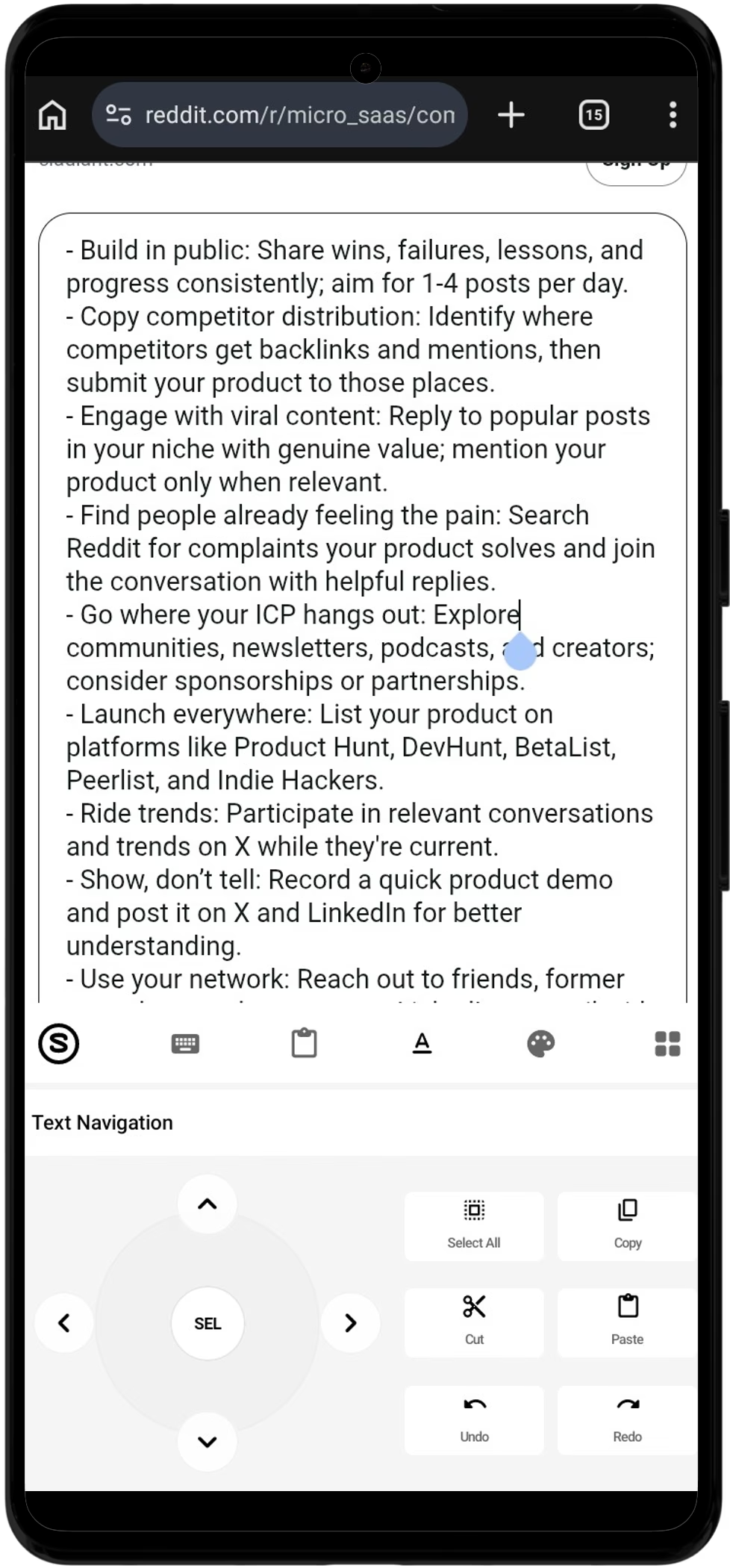
Real Proofreading Transformation Comparison
hey i saw your listing and i think we can work good together let me know what you think
Hi! I reviewed your project requirements and believe our experience is a strong fit. I would welcome the opportunity to discuss next steps.
why did you not send the invoice yesterday please send it immediately
Hi there, just following up on the invoice from yesterday—could you please forward it when you have a moment?
While Grammarly suggests piecemeal word substitutions that break your drafting flow, Synapse completely re-engineers sentence cadence and tone in a single fluid gesture.
How to Switch from Grammarly to Synapse in 60 Seconds
Switching does not require uninstalling Grammarly or erasing your existing setups. You can run both keyboards side by side until you are completely comfortable.
Download & Install APK
Download the clean, VirusTotal-verified Synapse APK (v1.3.1, Android 8.0+) and tap to install.
Enable in Android Settings
Follow the built-in 2-step setup to enable Synapse in your Android System Input Methods.
Write with 20,000 Credits
Open WhatsApp, Gmail, or Slack, highlight your draft text, and tap Fix Grammar. Enjoy instant, private AI proofreading.
Every Synapse release is signed and analyzed against 60+ industry security vendors. SHA-256: e5828378da0070db3495f65dc17fc7227c2d38d5d41362bf20c200177a29c887
Frequently Asked Questions: Switching from Grammarly
Why should I switch from Grammarly Keyboard to Synapse?
The primary reasons users switch are keystroke privacy, typing latency, and pricing. Grammarly continuously streams your keystrokes to cloud servers for sentence analysis, which introduces cursor drag (150ms–400ms) on mobile chips and requires a $144/year subscription for full tone features. Synapse never logs your standard keystrokes, provides lag-free local typing, executes full contextual AI rewrites in 1–2 seconds on demand, and operates on a transparent pay-as-you-go model with no monthly fees.
How does Synapse fix grammar without continuous background scanning?
Rather than running invasive tokenizers that interrupt every word you type with distracting red underlines, Synapse adopts an intentional 'draft first, polish on-demand' approach. You type naturally in WhatsApp, Gmail, or Slack at full speed. When your draft is ready, you highlight the text and tap 'Fix Grammar'. An advanced Large Language Model evaluates the complete contextual nuance and replaces the text in 1–2 seconds.
Does Synapse transmit my private chats or passwords to the cloud?
No. Standard typing stays 100% on your local Android device in volatile RAM. Synapse only communicates with secure LLM endpoints when you explicitly select text and trigger an AI prompt action. Furthermore, password fields, PIN entries, and OTP fields are automatically excluded at the Android OS InputMethodService level.
How does the pricing compare between Synapse and Grammarly Premium?
Grammarly Premium costs $12 per month billed annually ($144/year) or $30 billed monthly. If you only type a few dozen important emails or messages a day, you are overpaying for unused compute. Synapse provides 20,000 free AI credits upon installation, and permanent credit top-ups start at just $5 with zero recurring subscription commitments. A typical user spends less than $15 per year on Synapse.
Can I use custom AI writing prompts with Grammarly Keyboard?
No. Grammarly restricts mobile users to preset tone categories (e.g., Formal, Friendly, Optimistic). It does not permit custom prompt macros. With Synapse, you can enter arbitrary instructions like 'Rephrase as an Upwork proposal highlighting our 48-hour SLA' or 'Translate to polite business German'.
Can I keep Grammarly or Gboard installed alongside Synapse?
Yes. Android allows multiple keyboards to coexist without conflict. You can switch between Synapse and your other keyboards instantly using the keyboard switcher icon in your Android navigation bar.
Ready for Fast, Private AI Proofreading?
Get 20,000 free credits upon installation. No credit card required. No monthly subscriptions.
Download Synapse APK (v1.3.1 - Free)Android 8.0+ · 24 MB · Zero Keystroke Logging · Direct APK Install